RAG Pipeline Private Cloud Architecture: Full-Stack Guide 2026
- Category
- RAG Pipeline
- Published
- April 12, 2026
- Reading Time
- 17 min
- Core Topic
- RAG pipeline private cloud architecture — hardware sizing, vector DB selection, GPU orchestration, and cost modeling. Built for regulated enterprises.
RAG Pipeline Private Cloud Architecture: Full-Stack Guide 2026
Retrieval-Augmented Generation (RAG) has moved from experimental demo to production-critical infrastructure. In 2026, the architecture question isn’t whether to use RAG — it’s where to run it and who controls the data. For regulated enterprises in finance, healthcare, defense, and legal, the answer is increasingly unambiguous: a private cloud.
This guide breaks down every layer of a production-grade RAG pipeline deployed on private infrastructure — from GPU procurement and vector database selection to Kubernetes orchestration, document ingestion strategies, and realistic cost modeling. No hand-waving. No “just call the OpenAI API.” This is the full-stack blueprint.
Why Private Cloud for RAG in 2026
Three forces are converging to make private cloud RAG architectures not just viable, but mandatory for a growing segment of enterprises.
1. Regulatory Pressure Is Accelerating
The EU AI Act’s full enforcement timeline, HIPAA’s evolving guidance on AI-processed PHI, and SOC 2 Type II auditors increasingly flagging third-party LLM API calls as data egress risks — all of these make API-based RAG architectures a compliance liability. When your retrieval corpus contains patient records, M&A documents, or classified material, “we sent it to OpenAI with a DPA” no longer satisfies auditors.
2. Cost Curves Have Crossed
A single GPT-4o API call costs roughly $2.50–$10.00 per 1M input tokens depending on context length. At enterprise scale — tens of thousands of queries per day across hundreds of users — annual API spend can exceed $500K–$2M. Meanwhile, NVIDIA H100 prices on the secondary market have dropped 40% since 2024, and inference-optimized chips like the L40S offer compelling price-per-token economics for self-hosted models. For sustained, high-volume workloads, the break-even point now sits at approximately 18–24 months for owned hardware.
For a deeper look at how API costs compound, see our OpenAI API Pricing Guide 2026: GPT-4o, o3, and Beyond.
3. Model Quality Gap Is Narrowing
Open-weight models — Llama 3.1 405B, Mixtral 8x22B, Command R+, and Qwen2.5-72B — now match or exceed GPT-4-class performance on domain-specific RAG benchmarks when fine-tuned on proprietary corpora. You no longer sacrifice quality for sovereignty.
RAG Pipeline Architecture Overview
A production RAG pipeline running on private cloud infrastructure consists of five distinct layers, each with its own scaling characteristics and failure modes.
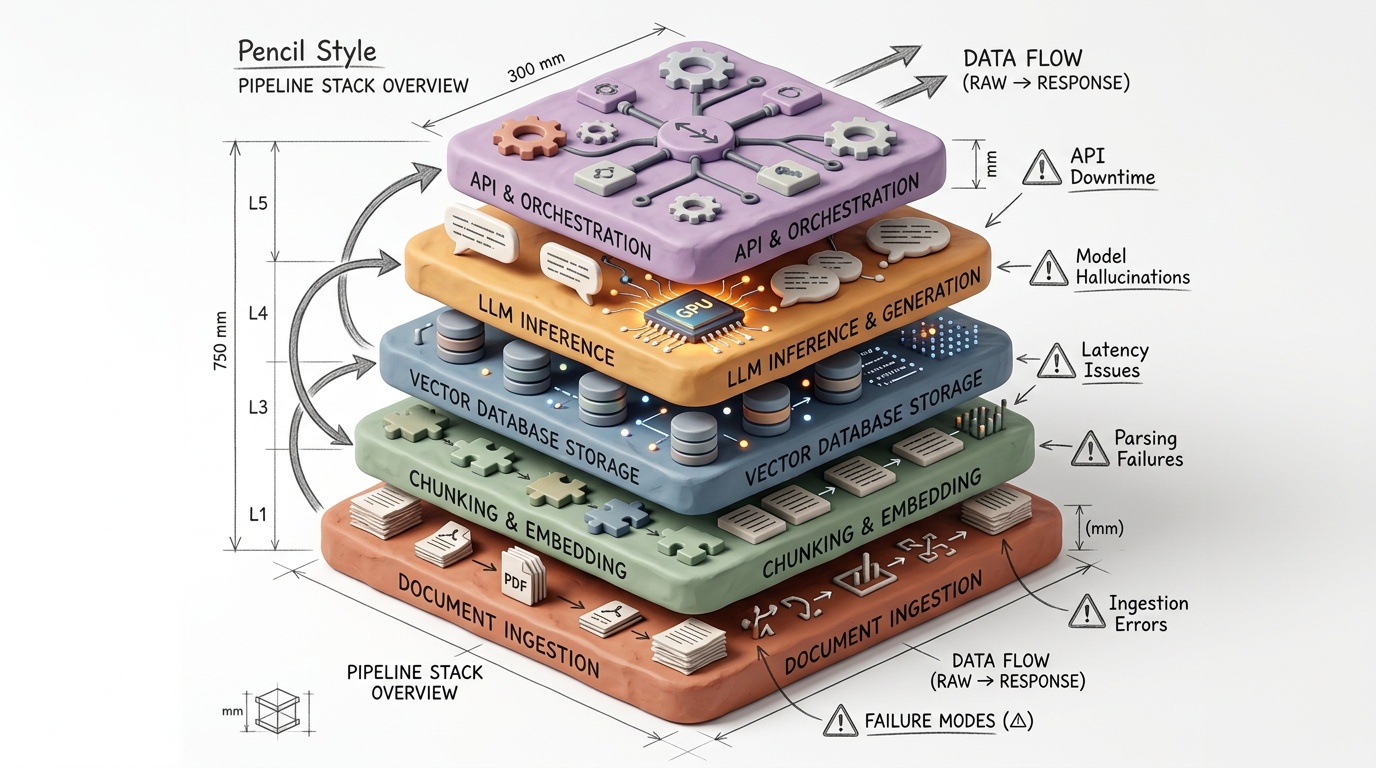
Layer 1: Document Ingestion and Preprocessing
- Source connectors (S3-compatible storage, databases, file shares, APIs)
- Format extraction (PDF, DOCX, HTML, Markdown, scanned images via OCR)
- Chunking engine with configurable strategies
- Metadata extraction and tagging
Layer 2: Embedding Generation
- Self-hosted embedding models (e.g., BGE-large-en-v1.5, E5-mistral-7b-instruct, Nomic Embed)
- GPU-accelerated batch processing
- Embedding normalization and dimension management
Layer 3: Vector Storage and Retrieval
- Vector database (Milvus, Qdrant, Weaviate, pgvector)
- Hybrid search (dense + sparse retrieval)
- Metadata filtering and multi-tenancy
Layer 4: Reranking and Context Assembly
- Cross-encoder reranking models (e.g., bge-reranker-v2-m3)
- Context window management and token budgeting
- Citation tracking and provenance
Layer 5: LLM Generation
- Self-hosted inference server (vLLM, TGI, TensorRT-LLM)
- Prompt templating and guardrails
- Streaming response delivery
Each layer is independently scalable, deployable as a Kubernetes workload, and observable through standard metrics pipelines.
Component Selection: Vector Database for Private Deployment
The vector database is the architectural centerpiece of any RAG pipeline. For private cloud deployments, the evaluation criteria differ substantially from SaaS-first solutions.
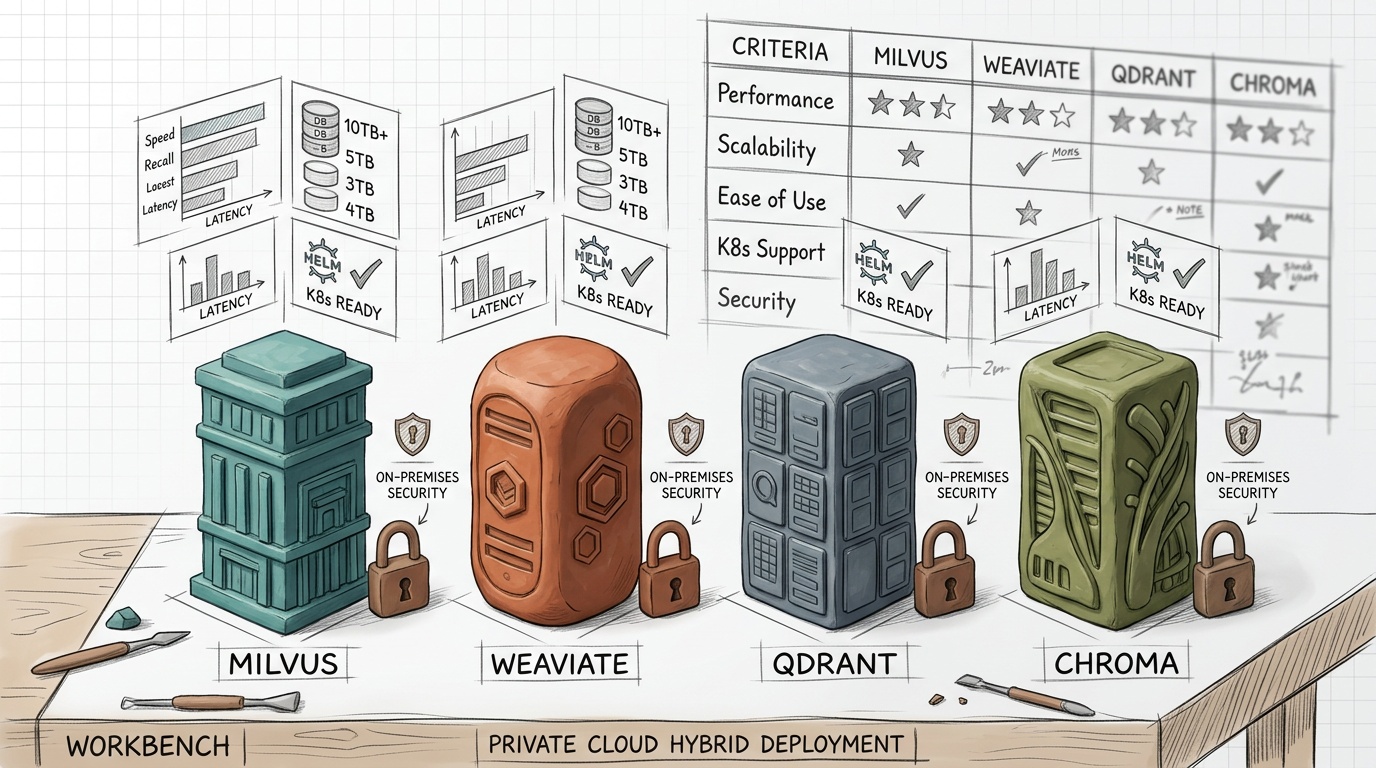
Evaluation Matrix
| Criteria | Milvus 2.4 | Qdrant 1.10 | Weaviate 1.26 | pgvector 0.7 |
|---|---|---|---|---|
| Self-hosting complexity | Medium-High | Low | Medium | Very Low |
| Max vectors (tested) | 10B+ | 1B+ | 500M+ | 100M+ |
| Hybrid search | Native (sparse + dense) | Native (sparse + dense) | Native (BM25 + vector) | Manual (with tsvector) |
| Multi-tenancy | Partition-based | Collection-based | Class-based | Schema-based |
| GPU acceleration | Yes (IVF_PQ on GPU) | No | No | No |
| Kubernetes operator | Official Helm + Operator | Official Helm | Official Helm | Community |
| Backup/restore | Minio snapshots | Snapshot API | Backup API | pg_dump |
| License | Apache 2.0 | Apache 2.0 | BSD 3-Clause | PostgreSQL |
Recommendations by Scale
Under 50M vectors, ≤10 concurrent users: pgvector on an existing PostgreSQL cluster. Zero new infrastructure. Add HNSW indexes and you get sub-100ms P95 latency for most workloads. The operational simplicity is unmatched.
50M–500M vectors, enterprise multi-tenancy required: Qdrant. Its Rust-based engine delivers exceptional single-node performance (up to 100M vectors per node with quantization), the API is clean, and the Kubernetes deployment is straightforward. Qdrant’s built-in sparse vector support makes hybrid search a first-class citizen.
500M+ vectors, GPU-accelerated search needed: Milvus. It’s the only option in this list that supports GPU-accelerated index building and search. The trade-off is operational complexity — Milvus requires etcd, MinIO, and Pulsar (or Kafka) as dependencies. Budget for dedicated SRE time.
Already running Elasticsearch/OpenSearch: Consider the kNN search capabilities built into your existing stack before introducing a new database. For many RAG use cases, OpenSearch’s neural search plugin is sufficient and eliminates an entire infrastructure component.
Self-Hosting Embedding Models and LLMs
Embedding Model Selection
The embedding model determines retrieval quality. Choose wrong here and no amount of reranking or prompt engineering downstream will compensate.
Production-proven choices for 2026:
| Model | Dimensions | MTEB Score | Inference Speed (A100) | Notes |
|---|---|---|---|---|
| BGE-large-en-v1.5 | 1024 | 64.2 | ~3,200 docs/sec | Excellent baseline, BERT-class |
| E5-mistral-7b-instruct | 4096 | 66.6 | ~400 docs/sec | Best quality, but slow |
| Nomic Embed v1.5 | 768 | 62.3 | ~4,500 docs/sec | Best speed/quality ratio |
| GTE-Qwen2-7B-instruct | 3584 | 67.1 | ~350 docs/sec | Multilingual strength |
Hardware sizing for embedding generation:
For a corpus of 10M documents (average 2,000 tokens each), chunked into ~50M passages:
- BGE-large on 2× A10G GPUs: ~4.3 hours for full re-embedding
- E5-mistral-7b on 2× A100 80GB GPUs: ~34.7 hours for full re-embedding
- Nomic Embed on 2× A10G GPUs: ~3.1 hours for full re-embedding
For incremental ingestion (the steady-state workload), a single A10G handles most enterprise document flows comfortably.
LLM Inference Stack
The inference server is where the bulk of GPU compute — and cost — resides.
Inference server options:
| Server | Quantization | Continuous Batching | Multi-LoRA | Tensor Parallelism | License |
|---|---|---|---|---|---|
| vLLM 0.6+ | GPTQ, AWQ, GGUF, FP8 | Yes (PagedAttention) | Yes | Yes | Apache 2.0 |
| TGI 2.x | GPTQ, AWQ, GGUF, EETQ | Yes | Yes | Yes | Apache 2.0 |
| TensorRT-LLM | FP8, INT4-AWQ | Yes | Yes | Yes | Apache 2.0 |
vLLM is the default recommendation for most deployments. Its PagedAttention mechanism reduces GPU memory waste by 60–80% compared to naive KV-cache allocation, and its continuous batching achieves 2–5× the throughput of static batching at equivalent hardware.
Model sizing guide for private RAG:
| Model | Parameters | GPU Requirement (FP16) | GPU Requirement (INT4-AWQ) | Throughput (AWQ) |
|---|---|---|---|---|
| Llama 3.1 8B | 8B | 1× A100 40GB | 1× A10G 24GB | ~90 tok/s |
| Mixtral 8x7B | 47B (MoE) | 2× A100 80GB | 1× A100 80GB | ~55 tok/s |
| Llama 3.1 70B | 70B | 4× A100 80GB | 2× A100 80GB | ~35 tok/s |
| Llama 3.1 405B | 405B | 8× H100 80GB | 4× H100 80GB | ~20 tok/s |
For most enterprise RAG workloads, Llama 3.1 70B-Instruct (AWQ-INT4) on 2× A100 80GB delivers the best balance of quality, throughput, and cost. You get GPT-4-class domain performance after fine-tuning, at a fraction of the per-token cost.
Kubernetes Infrastructure and GPU Orchestration
Running RAG on Kubernetes isn’t optional at enterprise scale — it’s the only way to achieve the scheduling flexibility, resource isolation, and declarative infrastructure management that production workloads demand.
Cluster Architecture
┌──────────────────────────────────────────────────────┐
│                   Kubernetes Cluster                   │
├──────────────┬──────────────┬────────────────────────┤
│  CPU Pool     │  GPU Pool    │  Storage Pool           │
│  (Ingestion,  │  (Embedding, │  (Vector DB,            │
│   API, Web)   │   LLM Inf.)  │   Object Store)         │
│               │              │                          │
│  8× c3-std-8  │  4× A100 80G │  3× n2-highmem-16       │
│  (or equiv)   │  2× A10G 24G │  + NVMe SSDs             │
└──────────────┴──────────────┴────────────────────────┘
GPU Scheduling with NVIDIA GPU Operator
Deploy the NVIDIA GPU Operator to handle driver installation, container runtime configuration, and device plugin management automatically:
# gpu-operator-values.yaml
operator:
  defaultRuntime: containerd
driver:
  enabled: true
  version: "550.90.07"
toolkit:
  enabled: true
devicePlugin:
  enabled: true
  config:
    name: gpu-sharing-config
    default: "any"
mig:
  strategy: mixed  # Enable MIG for A100s
Multi-Instance GPU (MIG) for Workload Isolation
On A100 80GB GPUs, use MIG to partition a single GPU into isolated instances:
# mig-config.yaml for embedding + reranking on shared GPU
apiVersion: v1
kind: ConfigMap
metadata:
  name: mig-parted-config
data:
  config.yaml: |
    version: v1
    mig-configs:
      embedding-rerank:
        - devices: [0]
          mig-enabled: true
          mig-devices:
            "3g.40gb": 1  # Embedding model
            "2g.20gb": 1  # Reranker model
            "1g.10gb": 1  # Spare / monitoring
This allows your embedding service and reranker to share a single A100 with hardware-level isolation — no noisy neighbor effects, no CUDA context conflicts.
Pod Spec for LLM Inference
apiVersion: apps/v1
kind: Deployment
metadata:
  name: vllm-llama3-70b
spec:
  replicas: 1
  selector:
    matchLabels:
      app: vllm-llama3-70b
  template:
    metadata:
      labels:
        app: vllm-llama3-70b
    spec:
      nodeSelector:
        nvidia.com/gpu.product: "NVIDIA-A100-SXM4-80GB"
      containers:
        - name: vllm
          image: vllm/vllm-openai:v0.6.4
          args:
            - "--model"
            - "/models/Llama-3.1-70B-Instruct-AWQ"
            - "--quantization"
            - "awq"
            - "--tensor-parallel-size"
            - "2"
            - "--max-model-len"
            - "8192"
            - "--gpu-memory-utilization"
            - "0.92"
            - "--enable-prefix-caching"
          ports:
            - containerPort: 8000
          resources:
            limits:
              nvidia.com/gpu: 2
            requests:
              memory: "64Gi"
              cpu: "8"
          volumeMounts:
            - name: model-storage
              mountPath: /models
      volumes:
        - name: model-storage
          persistentVolumeClaim:
            claimName: model-pvc
Key flags explained:
--enable-prefix-caching: Reuses KV cache across requests sharing the same system prompt — critical for RAG where the system prompt + context template is identical across queries.--gpu-memory-utilization 0.92: Maximizes available memory for KV cache. Monitor for OOM and reduce if needed.--max-model-len 8192: Limits context window to reduce memory pressure. Adjust based on your retrieval context size.
For foundational Kubernetes and container concepts, see our guide on Docker vs Virtual Machines: Why Docker Won.
Document Ingestion and Chunking Strategies
Chunking is where most RAG pipelines silently fail. Bad chunking produces irrelevant retrievals, which produce hallucinated answers. No model can rescue garbage context.
Chunking Strategy Decision Tree
Is the document structured (headings, sections)?
├── YES → Use semantic/hierarchical chunking
│         Split at heading boundaries
│         Preserve parent-child relationships
│         Target: 256–512 tokens per chunk
│
└── NO → Is the document long-form prose?
    ├── YES → Use sliding window chunking
    │         Window: 384 tokens, Overlap: 64 tokens
    │         Add document-level metadata to each chunk
    │
    └── NO → Is it tabular/structured data?
        ├── YES → Row-level or cell-group chunking
        │         Serialize with column headers
        │
        └── NO → Use recursive character splitting
                  as fallback
Production Chunking Pipeline
from langchain.text_splitter import (
    RecursiveCharacterTextSplitter,
    MarkdownHeaderTextSplitter,
)

# Stage 1: Split by semantic structure
headers_to_split_on = [
    ("#", "h1"),
    ("##", "h2"),
    ("###", "h3"),
]
markdown_splitter = MarkdownHeaderTextSplitter(
    headers_to_split_on=headers_to_split_on,
    strip_headers=False,
)

# Stage 2: Sub-chunk large sections
recursive_splitter = RecursiveCharacterTextSplitter(
    chunk_size=512,
    chunk_overlap=64,
    length_function=lambda text: len(tokenizer.encode(text)),
    separators=["\n\n", "\n", ". ", " ", ""],
)

def chunk_document(markdown_text: str, metadata: dict) -> list:
    # First pass: semantic boundaries
    semantic_chunks = markdown_splitter.split_text(markdown_text)

    # Second pass: size enforcement
    final_chunks = []
    for chunk in semantic_chunks:
        sub_chunks = recursive_splitter.split_text(chunk.page_content)
        for i, sub in enumerate(sub_chunks):
            final_chunks.append({
                "text": sub,
                "metadata": {
                    **metadata,
                    **chunk.metadata,
                    "chunk_index": i,
                    "chunk_hash": hashlib.sha256(sub.encode()).hexdigest()[:12],
                }
            })
    return final_chunks
Critical Chunking Parameters
| Parameter | Recommended Value | Impact |
|---|---|---|
| Chunk size | 384–512 tokens | Smaller = more precise retrieval, more noise. Larger = more context, less precision. |
| Overlap | 48–96 tokens | Prevents information loss at boundaries. Higher overlap = more storage, marginal quality gain. |
| Top-K retrieval | 5–15 chunks | Start at 8, tune based on answer quality metrics. |
| Reranking | Always on | Cross-encoder reranking improves nDCG@10 by 15–30% over embedding-only retrieval. |
Production Hardening and Observability
A RAG pipeline has more failure modes than a standard web application. Every component — ingestion, embedding, retrieval, reranking, generation — can fail independently and silently.
Metrics Stack
Deploy Prometheus + Grafana with the following custom metrics:
# rag-metrics.yaml — key metrics to instrument
rag_retrieval_latency_seconds:
  type: histogram
  help: "Time from query receipt to retrieved context assembly"
  buckets: [0.05, 0.1, 0.25, 0.5, 1.0, 2.5, 5.0]

rag_generation_latency_seconds:
  type: histogram
  help: "Time from context assembly to full response generation"
  buckets: [0.5, 1.0, 2.5, 5.0, 10.0, 30.0]

rag_retrieval_relevance_score:
  type: histogram
  help: "Cross-encoder relevance score of top-K retrieved chunks"
  buckets: [0.1, 0.2, 0.3, 0.5, 0.7, 0.8, 0.9, 0.95]

rag_context_token_count:
  type: histogram
  help: "Number of tokens in assembled context window"
  buckets: [256, 512, 1024, 2048, 4096, 8192]

rag_embedding_queue_depth:
  type: gauge
  help: "Number of documents waiting for embedding generation"

vllm_gpu_cache_usage_percent:
  type: gauge
  help: "Percentage of GPU KV cache currently in use"
Health Check Endpoints
Every service in the pipeline should expose:
/health— binary liveness (is the process running?)/ready— readiness (are models loaded, is the vector DB reachable?)/metrics— Prometheus-compatible metrics endpoint
Alert Thresholds
| Metric | Warning | Critical |
|---|---|---|
| Retrieval P95 latency | > 500ms | > 2s |
| Generation P95 latency | > 5s | > 15s |
| Mean retrieval relevance score | < 0.5 | < 0.3 |
| Embedding queue depth | > 1,000 | > 10,000 |
| GPU memory utilization | > 90% | > 95% |
| Vector DB disk usage | > 75% | > 90% |
Guardrails and Safety
For regulated deployments, add:
- Input sanitization: Strip prompt injection attempts before they reach the LLM. Use pattern-based detection + classifier-based detection.
- Output validation: Verify the LLM’s answer is grounded in the retrieved context. Implement a lightweight NLI (natural language inference) model as a post-processing step.
- Audit logging: Log every query, retrieved chunks, and generated response to immutable storage. This is non-negotiable for financial and healthcare workloads.
- PII detection: Run a NER-based PII scanner on outputs before returning them to users.
Cost Comparison: Private Cloud RAG vs Managed API Services
Here’s the real math. We model a mid-size enterprise deployment: 50,000 RAG queries per day, average 8 chunks retrieved per query (512 tokens each), Llama 3.1 70B as the generation model (or GPT-4o for the API comparison), 5M document corpus.
Annual Cost Breakdown
| Cost Category | Private Cloud (Owned) | Private Cloud (Leased) | Managed API (OpenAI) |
|---|---|---|---|
| GPU compute | $180K (4× A100 80GB, amortized 3yr) | $288K (4× A100 cloud instances) | — |
| API costs | — | — | $547K (at $5/1M input, $15/1M output) |
| CPU compute | $24K | $36K | $12K (orchestration only) |
| Storage | $8K (NVMe + object) | $14K | $6K |
| Vector DB | $0 (self-hosted OSS) | $0 (self-hosted OSS) | $24K (Pinecone Standard) |
| Networking | $3K | $6K | $2K |
| SRE/ML Ops (FTE) | $85K (0.5 FTE) | $85K (0.5 FTE) | $25K (0.15 FTE) |
| Total Year 1 | $300K | $429K | $616K |
| Total Year 3 | $660K | $1,287K | $1,848K |
Key insight: The private cloud owned model breaks even against API costs within 14 months at this query volume. By year 3, the savings are $1.19M — enough to fund the entire ML engineering team.
The leased model (running on cloud GPU instances) is intermediate. It makes sense when you need flexibility and don’t want to manage physical hardware. For more on infrastructure provider costs, refer to our analysis Cloud Hosting True Cost 2025: What Developers Actually Pay.
Hidden Costs to Budget For
- Model updates and re-evaluation: 40–80 hours of ML engineering per quarter
- Re-embedding on chunk strategy changes: 6–12 hours of GPU time per full re-run
- Security patching and compliance audits: $15K–$30K annually for regulated industries
- Disaster recovery infrastructure: Add 30–50% to storage costs for cross-site replication
Who Should Build a Private Cloud RAG Pipeline?
Build Private If:
- Your data cannot leave your network. Healthcare (PHI), finance (MNPI), defense (CUI/classified), legal (attorney-client privilege).
- You process >10,000 RAG queries per day. Below this threshold, API costs are manageable and operational simplicity wins.
- You need deterministic latency guarantees. SLAs that require <2s P99 response times are difficult to meet with shared API infrastructure.
- You require model customization. Fine-tuned models on proprietary corpora consistently outperform generic API models for domain-specific tasks.
- You have (or can hire) ML infrastructure expertise. A minimum of 0.5 FTE dedicated to MLOps is non-negotiable.
Use Managed APIs If:
- Your data is non-sensitive and doesn’t face regulatory constraints.
- Query volume is under 5,000/day.
- You need to ship a POC in under 4 weeks.
- Your team lacks GPU infrastructure experience.
For teams evaluating the DevOps skill requirements, our DevOps Roadmap 2026: How to Become a Cloud Engineer covers the competencies you’ll need to staff this kind of project.
Frequently Asked Questions
What is the minimum hardware to run a private RAG pipeline?
At the smallest viable scale: 1× server with an A10G 24GB GPU (for embedding + a 7B parameter model), 256GB RAM, 2TB NVMe SSD, and 16 CPU cores. This handles ~1,000 queries/day against a 500K document corpus. Use pgvector to avoid a separate vector database. Total hardware cost: approximately $8K–$12K.
Can I use CPU-only inference for the LLM?
Technically yes, using llama.cpp with GGUF quantization. A 70B model at Q4_K_M quantization runs on a 256GB RAM server at approximately 3–5 tokens/second. This is viable only for internal tools with relaxed latency requirements — never for user-facing applications.
How do I handle model updates without downtime?
Use a blue-green deployment strategy in Kubernetes. Deploy the new model version as a separate Deployment, run validation queries against it, then switch the Service selector. Keep the old version running for 30 minutes as a rollback target. vLLM’s model loading time on NVMe storage is typically 45–90 seconds for a 70B model.
What about hybrid approaches — private retrieval + API generation?
This is architecturally sound for organizations in transition. Keep your vector database and embedding pipeline on-premises, then send only the retrieved context (not the full corpus) to an API-based LLM. This limits data exposure to small, curated context windows. However, audit whether even those context snippets contain regulated data.
How much storage does a vector database need?
Rule of thumb: each vector at 1024 dimensions (float32) consumes approximately 4KB. For 50M vectors: ~200GB raw, ~300GB with indexes and metadata. With quantization (e.g., Qdrant’s scalar quantization), you can reduce this by 4×. Plan for 2× headroom above current needs.
Final Verdict
Building a private cloud RAG pipeline in 2026 is no longer a bleeding-edge endeavor — it’s an engineering project with well-defined components, proven tooling, and predictable costs. The stack has matured: vLLM handles inference efficiently, Qdrant and Milvus provide battle-tested vector storage, Kubernetes operators manage GPU scheduling, and open-weight models have closed the quality gap with proprietary APIs.
The decision framework is straightforward:
- Regulatory constraint + high query volume + available MLOps talent = build private.
- Low sensitivity + low volume + speed-to-market priority = use APIs.
- Everything in between = start with APIs, design for portability, migrate when the economics tip.
What doesn’t change regardless of your deployment model: invest heavily in chunking strategy and retrieval quality. The most expensive GPU cluster in the world cannot compensate for poorly chunked documents and weak embeddings. The retrieval layer — not the generation layer — is where RAG pipelines succeed or fail.
Start with a 500-document pilot. Instrument everything. Measure retrieval relevance scores before you even connect an LLM. Once your retrieval nDCG@10 exceeds 0.7, you have a pipeline worth scaling. Everything before that is preprocessing work.